See any Amazon seller's full catalog. In minutes, not hours.

One click on any product page reveals the seller's entire inventory — every ASIN, every category, prices and reviews. Export and go.

Add to Chrome — Free See how it works
23K+
ASINs per crawl
< 8 min
Extraction time
21
Marketplaces
Free
No credit card
Chrome Extension

Everything you need to analyze any seller
See price, rating, stock, and BSR at a glance
1

Quick product insights

Price, rating, stock & BSR at a glance
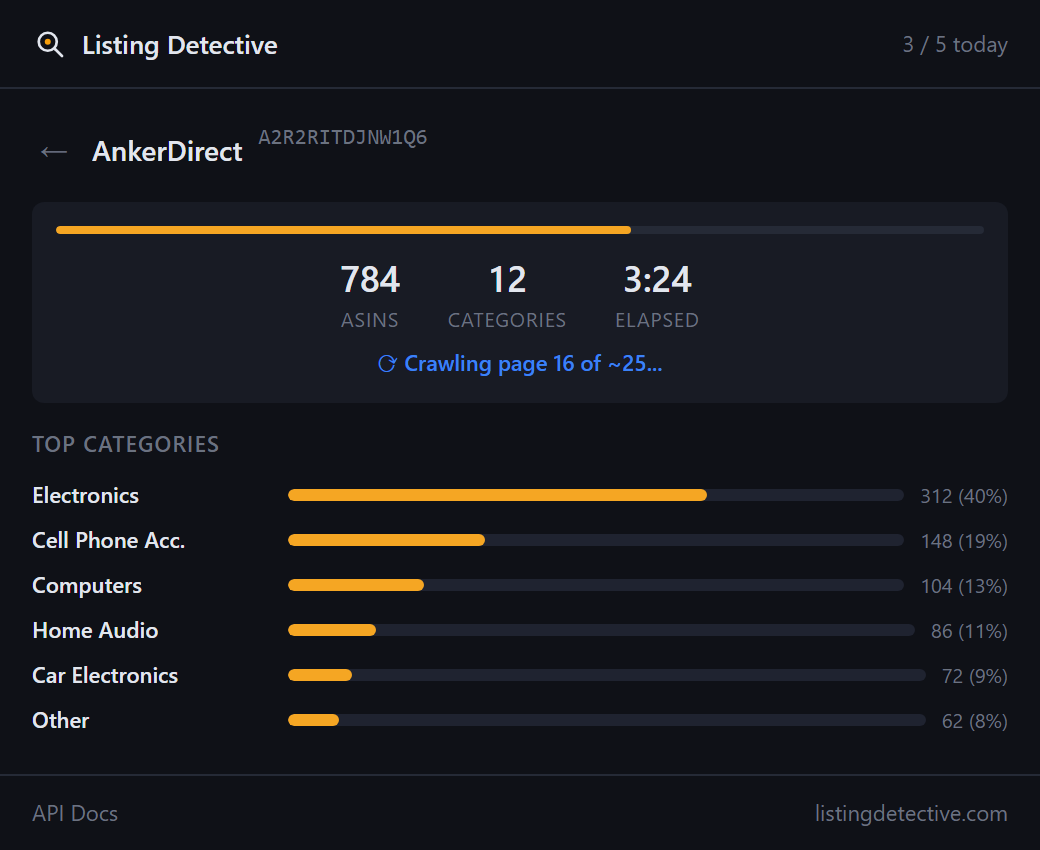
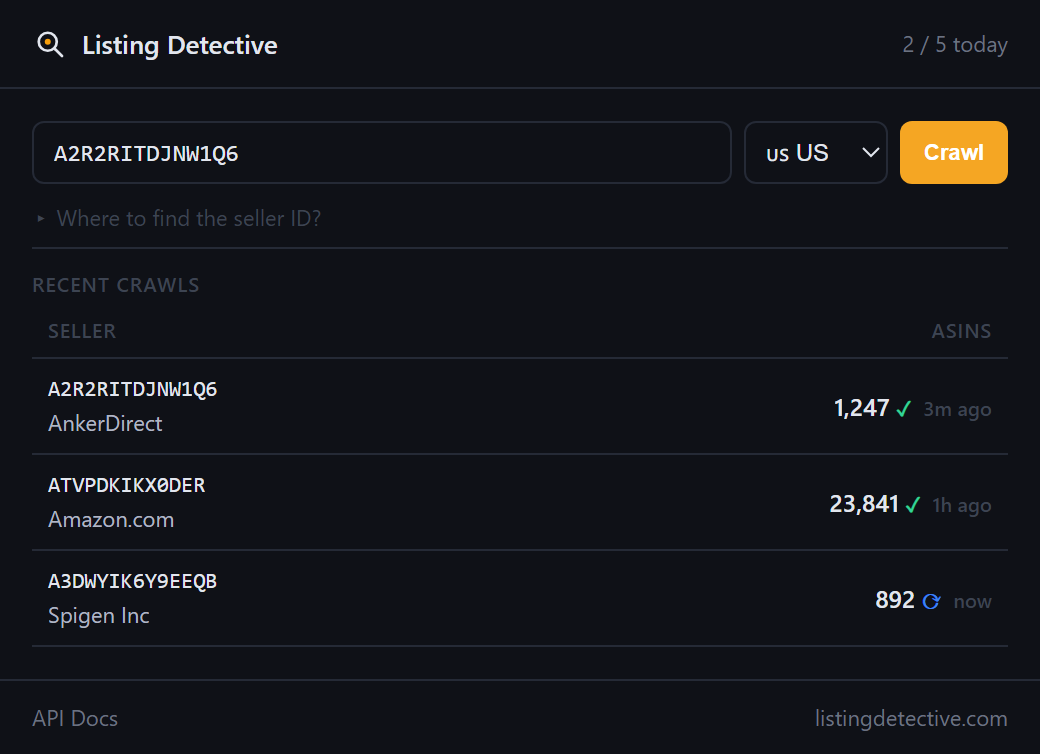
Crawl an entire seller catalog in one click
2

One-click catalog crawl

Extract every ASIN from any seller
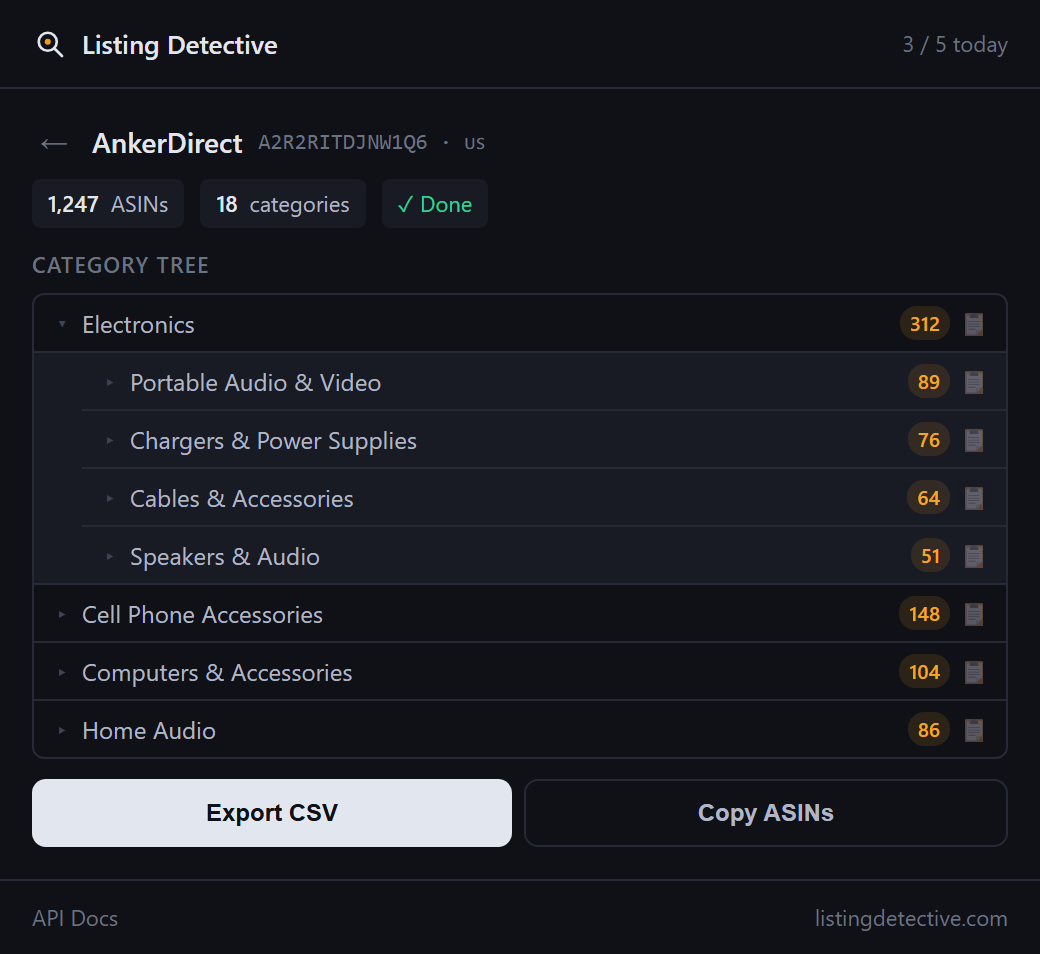
Explore the full category tree with product counts
3

Category tree explorer

Browse categories with product counts
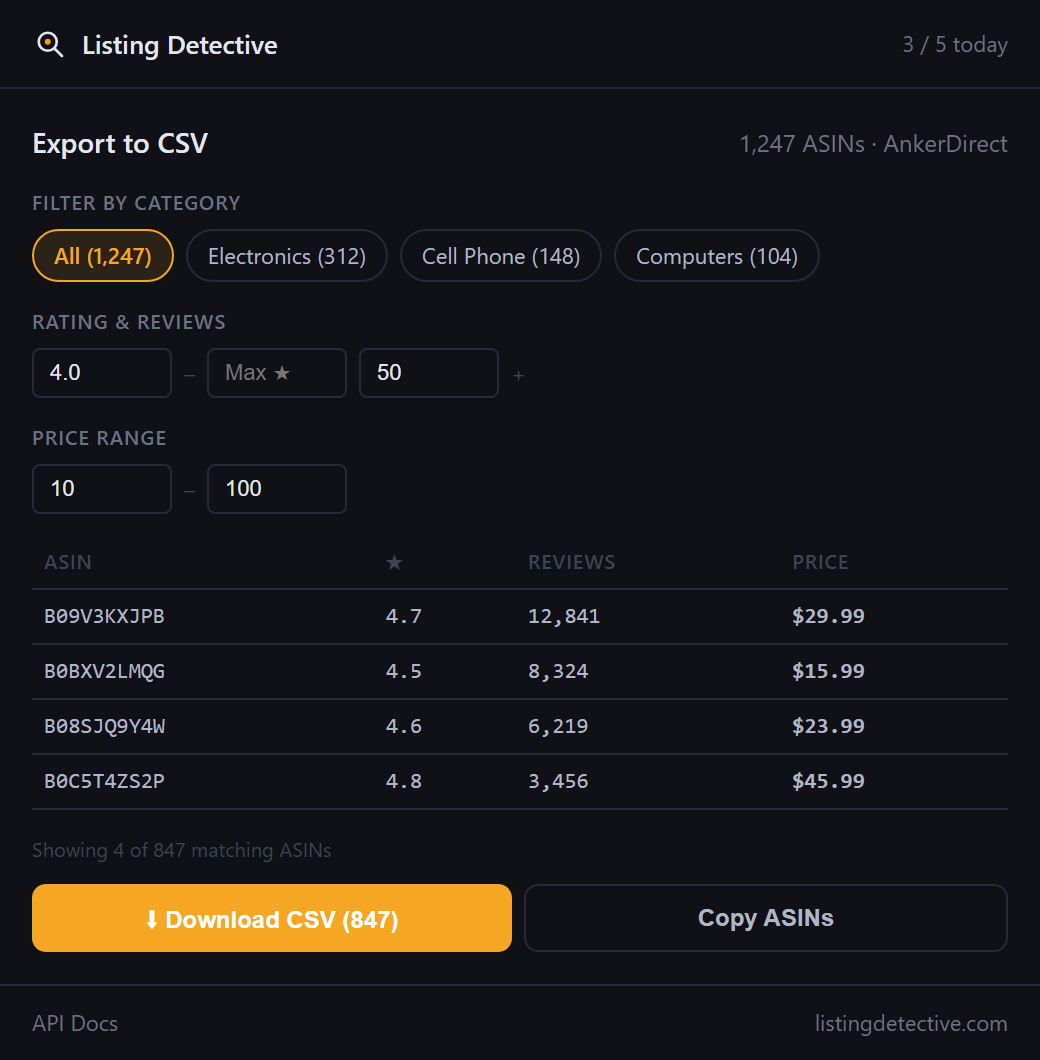
Export ASINs to CSV with smart filters
4

Smart CSV export

Filter by rating, reviews, price & category

How it works

1

Install the extension

Add Listing Detective to Chrome — it's free, no account needed. Takes 5 seconds.

2

Visit any Amazon seller

Go to any product page. The extension detects the seller automatically and shows price, stock, rating, and BSR.

3

Click "Get all products"

We crawl the seller's entire catalog — every ASIN, organized by category. Usually done in under 8 minutes.

4

Export to CSV

Filter by category, rating, reviews, or price. Download exactly the data you need — clean, structured, ready to use.

Works on 21 Amazon marketplaces

Analyze sellers across every major Amazon marketplace worldwide

US United States
UK United Kingdom
DE Germany
FR France
IT Italy
ES Spain
CA Canada
MX Mexico
BR Brazil
IN India
JP Japan
AU Australia
TR Turkey
AE UAE
SA Saudi Arabia
SG Singapore
NL Netherlands
PL Poland
SE Sweden
BE Belgium
EG Egypt
🔒 No account needed ⚡ Free to use 🚫 No tracking

Start analyzing sellers today

Free Chrome extension. No account, no credit card. Install and go.

Add to Chrome — Free